Microsoft Azure AI: Flow
Empowering neurodivergent professionals by designing adaptive AI around their unique workflows
Overview
Adults with ADHD are momentum-driven thinkers wired for innovation and rapid idea generation. Yet many workplace systems are not designed for how they think, creating friction through heightened cognitive load, emotional strain, and constant context switching. In response to this gap, defined by Microsoft’s Neurodivergent Employee Resource Group, my team of four product designers was tasked by a Principal Product Manager at Microsoft to design an ADHD-friendly AI assistive tool powered by Azure AI. From this goal, we created Flow, an adaptive AI agent and “second brain” database that meets users where they are and adapts in real time as their needs evolve.
Responsibilities
I led the end-to-end design of Flow, from conducting in-depth field and secondary research to concept exploration and prototyping. Throughout the process, I collaborated weekly with PMs, Senior UX Researchers, and Senior Product Designers at Microsoft to ensure our concept aligned with the project brief, the practices of Microsoft's Inclusion Design for Cognition, and Microsoft’s brand guidelines.
Final Designs
Flow is designed to seamlessly integrate with the Microsoft Suite and features the “Magic Mouse,” a supercharged AI assistant that provides real-time support during workflows. Flow is also supported by a robust database or “second brain” that captures information via the Magic Mouse while in use, to help users stay organized and maintain workflow continuity.
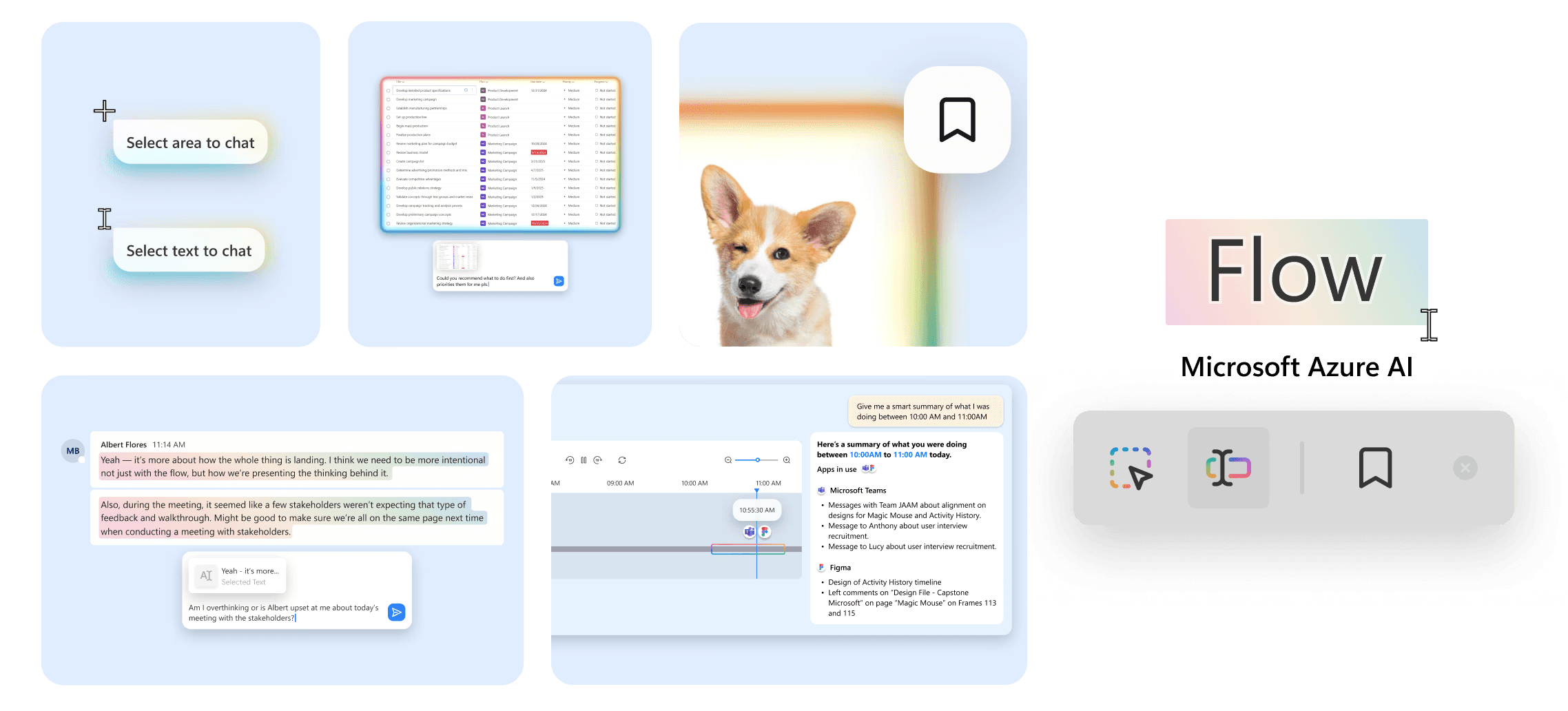
A preview of Flow’s 4 key features at work:
Magic Mouse
AI assistance that's minimally intrusive but always there.

Select any area on your screen and get help exactly where you need it.
When activated, the Magic Mouse allows users to select any area of their screen to instantly trigger Flow’s integrated AI chat. From there, Flow can scan lists, interpret visual content, and help prioritize tasks in context. By focusing only on what the user is viewing, the area select tool reduces cognitive load and delivers precise, context-aware support.
Highlight text and let Flow make communication effortless.
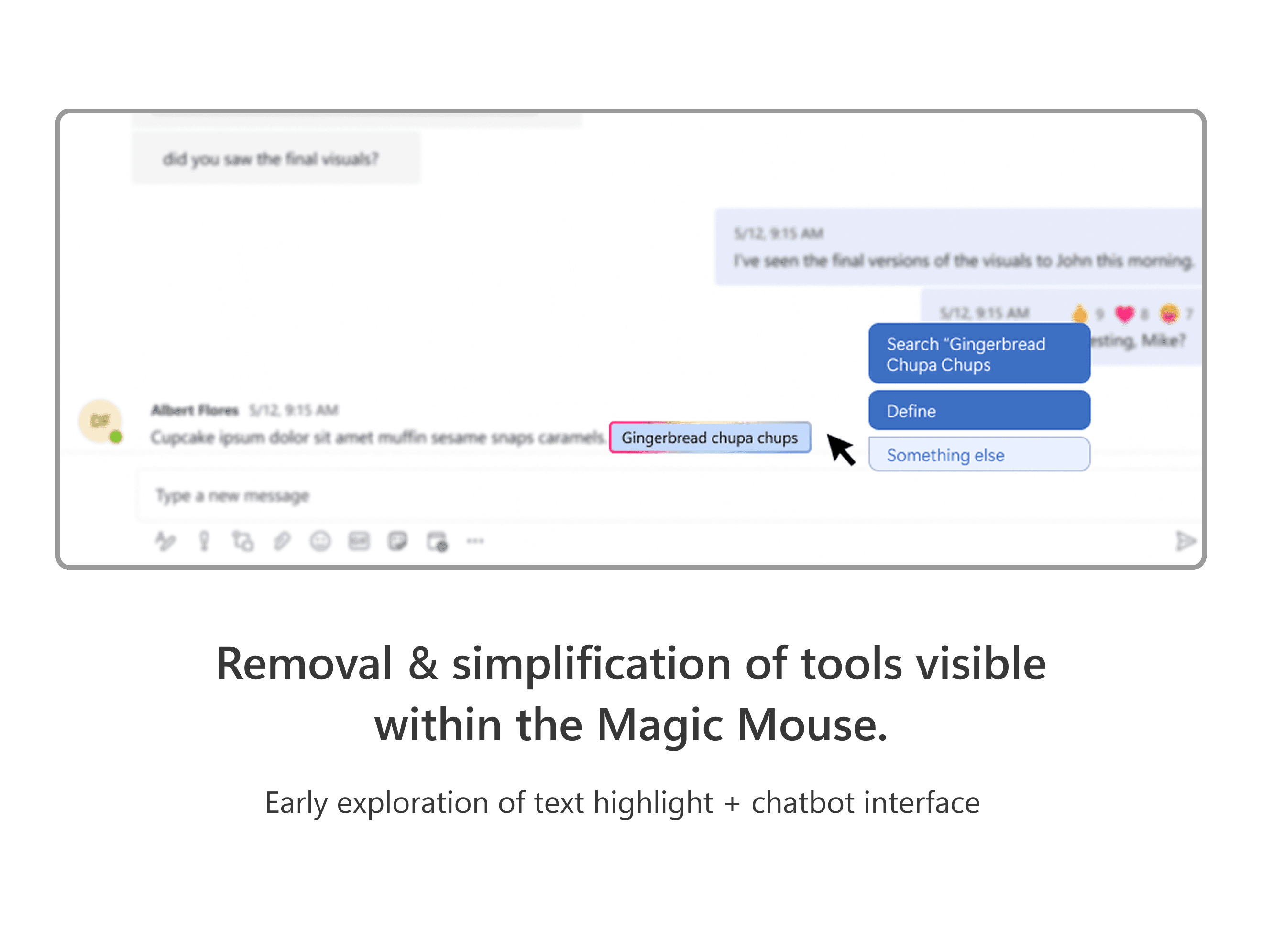
Users can also highlight text with the Magic Mouse to activate Flow’s integrated AI chat. Whether clarifying a definition, drafting a response, or interpreting the tone of a message, Flow delivers instant, context-aware support that eases communication friction and reduces mental fatigue.
Flow Database
A "second brain" database that remembers so you don't have to.
Jump back in to exactly where you left off.
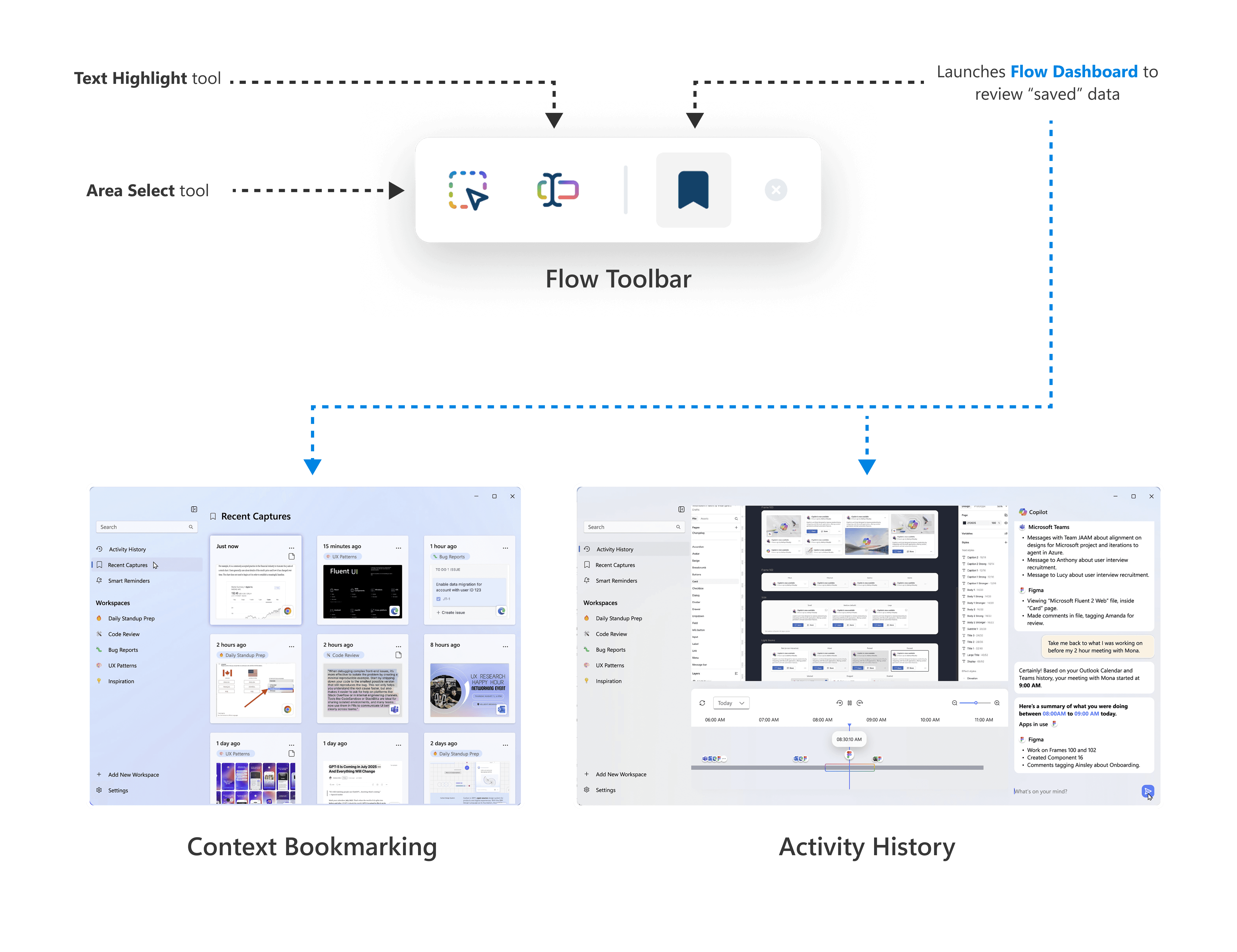
When enabled, Flow captures a live timeline of the user’s workflow, generates smart summaries of recent activity, and allows users to seamlessly return to the apps, links, or tasks they were previously working on. By reducing the need to manage multiple windows and tabs, Activity History minimizes the mental friction of context switching and helps users re-enter their work with clarity.
Bookmark content & ideas before they slip away.
Using the Magic Mouse’s area select and text highlight features, users can save content with notes directly to the Flow database. This lets users quickly “bookmark” important information, reducing the pressure to remember ideas in the moment and helping them stay focused on their primary task. Bookmarked items include automated reminders, so users never have to worry about forgetting. Context Bookmarking minimizes competing thoughts and scattered attention, keeping workflow momentum intact.
Research
Destigmatizing Adult ADHD in the Workplace
Adults with ADHD bring unique perspectives and problem-solving approaches to the workplace, yet their ways of thinking are often misunderstood or overlooked. Even highly skilled professionals can encounter hidden obstacles that erode focus and efficiency when workplace systems aren’t designed to support neurodivergent cognition.
Our field research highlighted:
Adults with ADHD make up roughly 3.5% of the workforce — about 15.5 million people, or about 1 in every 5 people.
22+ days of productivity are lost per year than non-ADHD coworkers
$105B-$194B in productivity loss from adult ADHD in the U.S.
To understand the cause in losses in productivity, I conducted in-depth interviews with:
Subject Matter Experts
an ADHD Coach
an ADHD-specialized psychologist
an ADHD App Founder



User Interviews
5 tech workers with diagnosed ADHD




User Surveys
44 neurodivergent tech workers from Microsoft's Disability Employee Resource Group
In our interviews, participants described navigating moments of intense focus alongside periods of overwhelm, constantly juggling priorities and managing emotional strain. Despite the wide variation in how each individual experiences ADHD, common themes emerged: challenges around sustaining workflow momentum, protecting delicate focus, and needing flexible systems that adapt to shifting attention. Observing these patterns helped us identify design opportunities that could meaningfully support adults with ADHD in real workplace contexts.
Design Opportunities
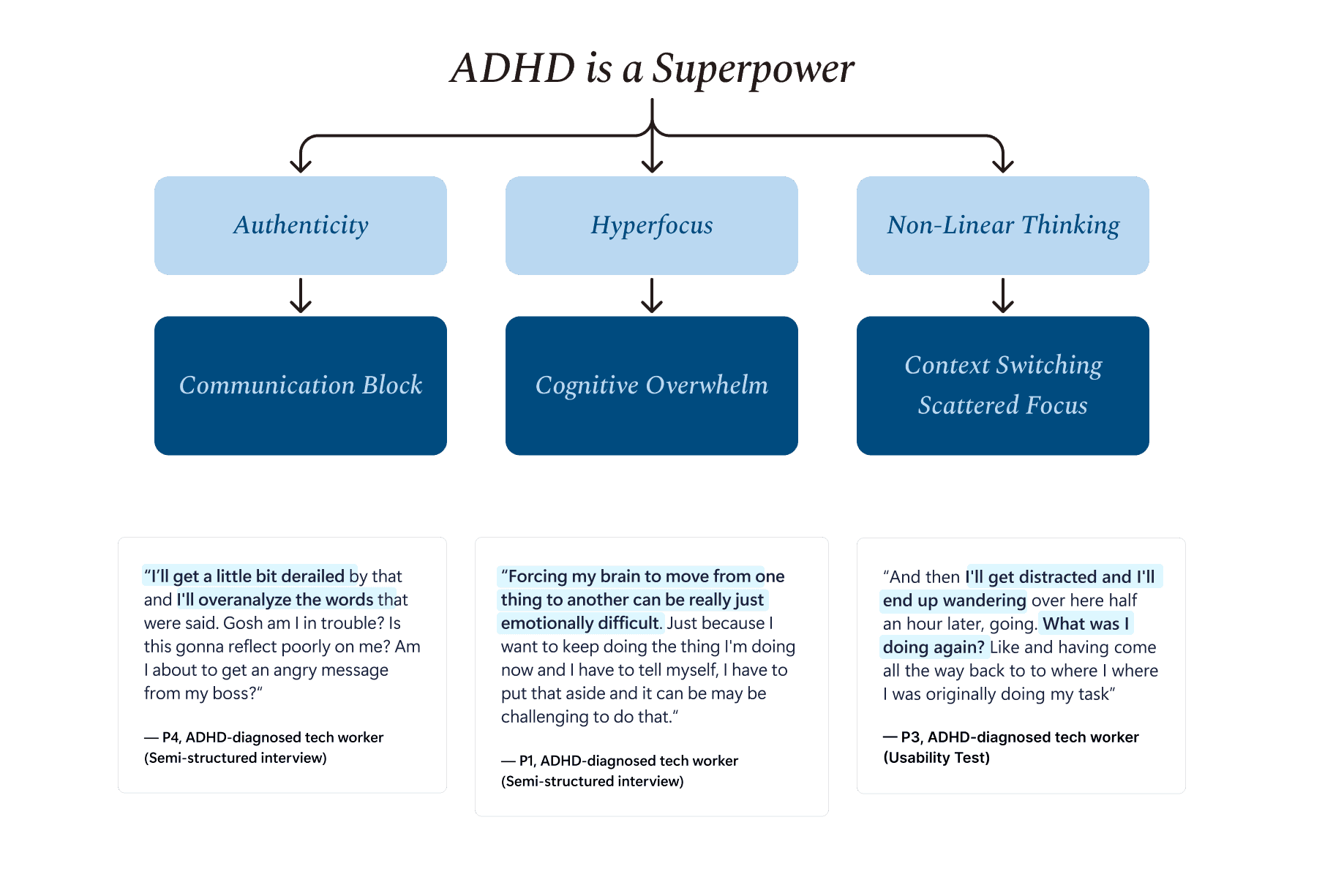
ADHD as a "superpower," rather than a problem.
Participants consistently described their ADHD as a source of strength rather than a limitation. Guided by this perspective, we took a strengths-based approach, reframing ADHD to emphasize the “superpowers” of this way of neurodivergent thinking while mapping each strength to its corresponding workplace challenge.
Design Approach
Designing in an already crowded productivity landscape.
Microsoft employees reported using a wide range of productivity tools, from physical notebooks to digital apps and systems, such as Outlook, to manage their daily workflows. No two participants relied on the same combination of tools. Some even relied on ADHD-specific apps to prompt breaks or support other ADHD-related challenges. We wanted to design a tool that would function as a companion to already existing tools, not a competitor.
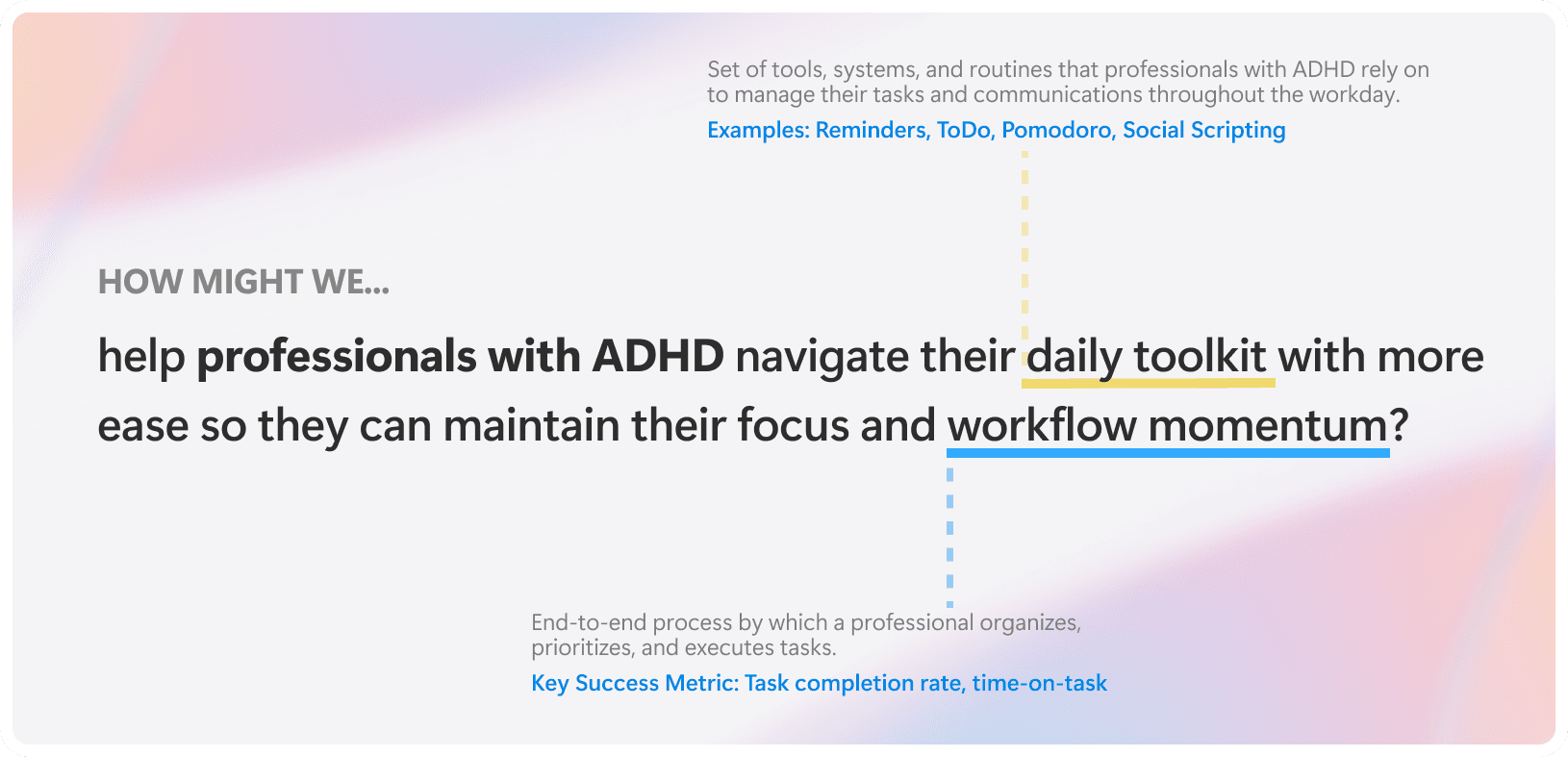
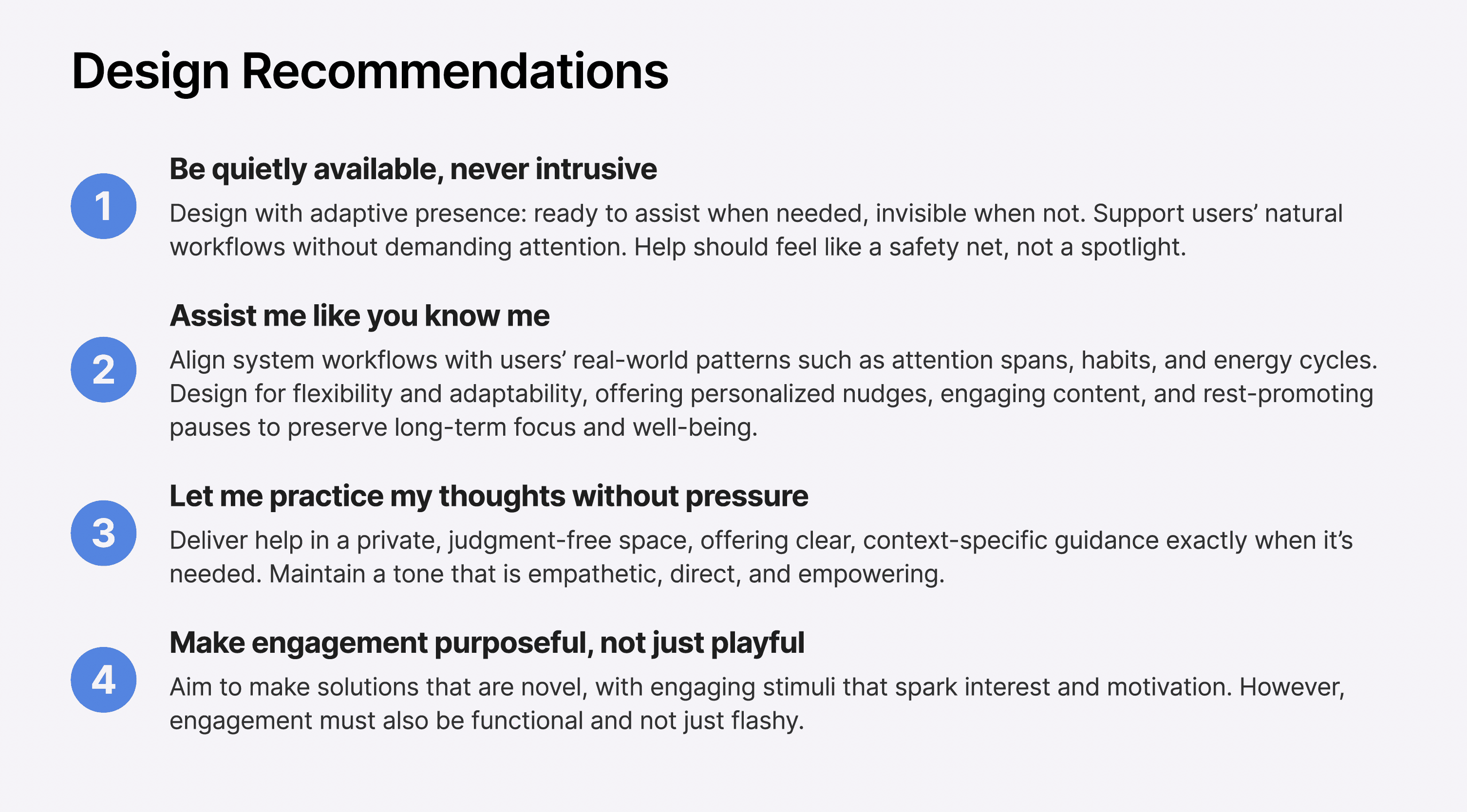
We derived a set of design recommendations to guide Flow’s development. Each principle reflects the insights we gained from understanding how adults with ADHD navigate their work—emphasizing support that is personal, non-intrusive, and purpose-driven rather than adding friction or unnecessary pressure.
Interface Design
Building within the system, not beside it.
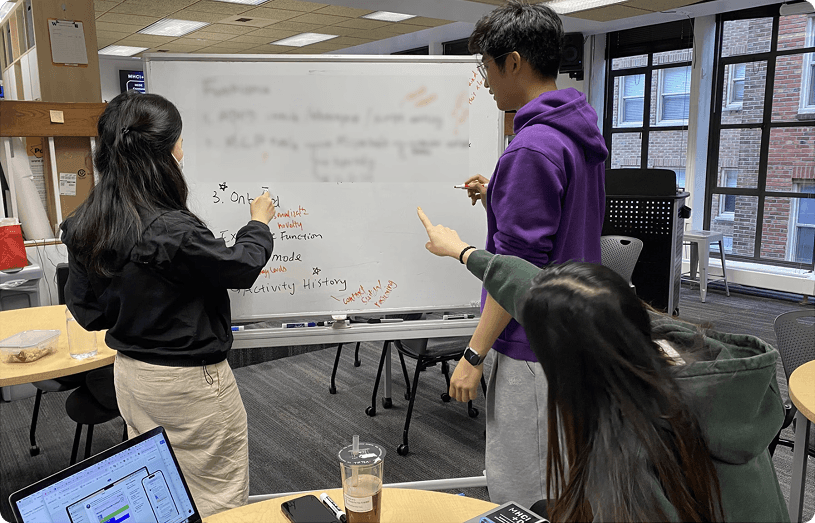
To translate our design principles into an interface, we explored what it would mean for Flow to exist like a true system-level companion. Rather than living as a traditional app, we imagined it operating quietly across the user’s workflow.
Our first concept was a customizable widget or expandable drawer that housed modular tools. It could sit alongside existing applications and provide quick access to support features tailored to each user.
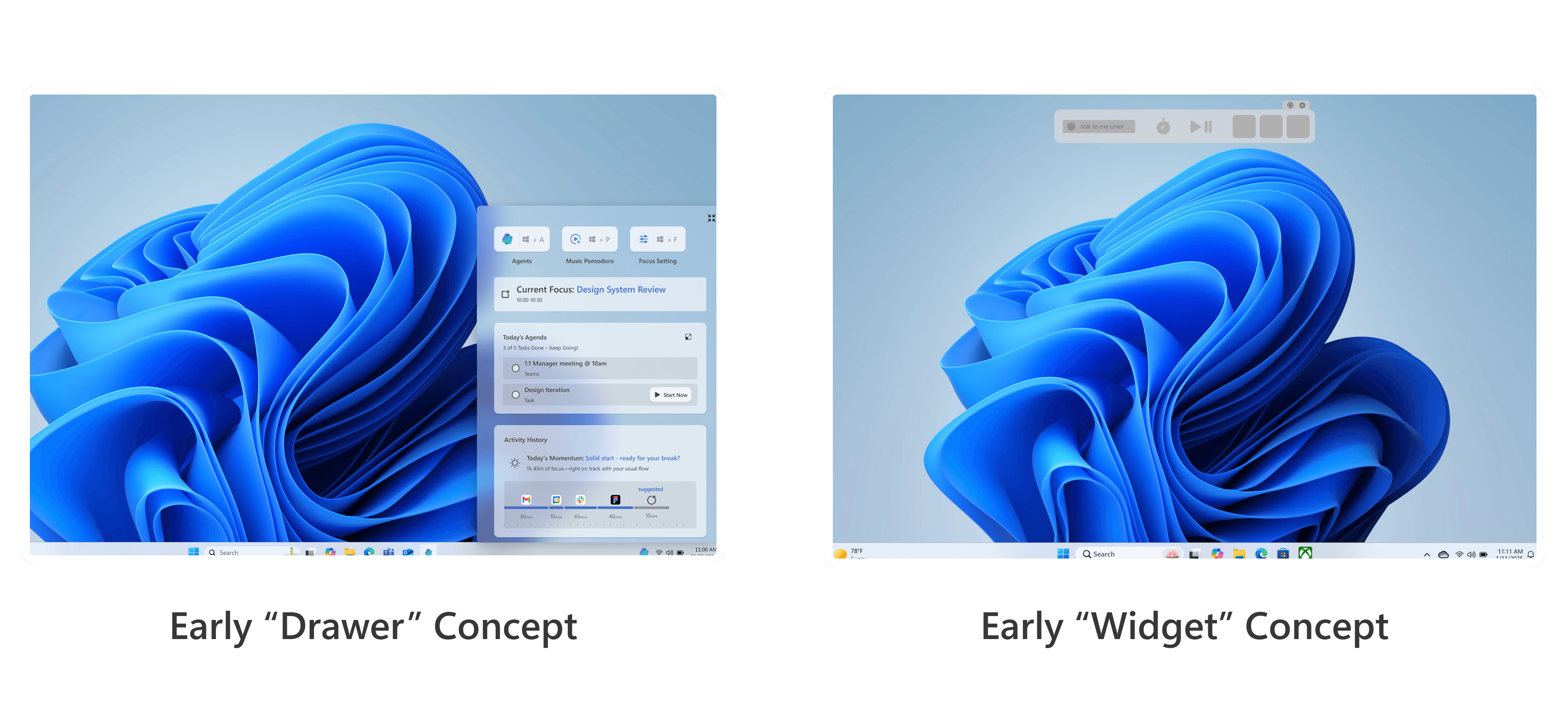
However, usability tests showed us that this approach still felt like another layer competing for space on an already crowded screen. Participants described it as something they would likely forget to open or minimize beneath other windows. It risked becoming just another container for tools users already had. More importantly, testing revealed that it still required users to manually explain to AI what they were working on, placing extra cognitive demand on the very users we were trying to support.
Revisiting our principles, we asked: what would it look like for Flow to assist without requiring explanation? This led us to shift from a visible container of tools to a more integrated interaction model. Instead of adding a new surface, we began exploring ways Flow could live directly within existing behaviors.
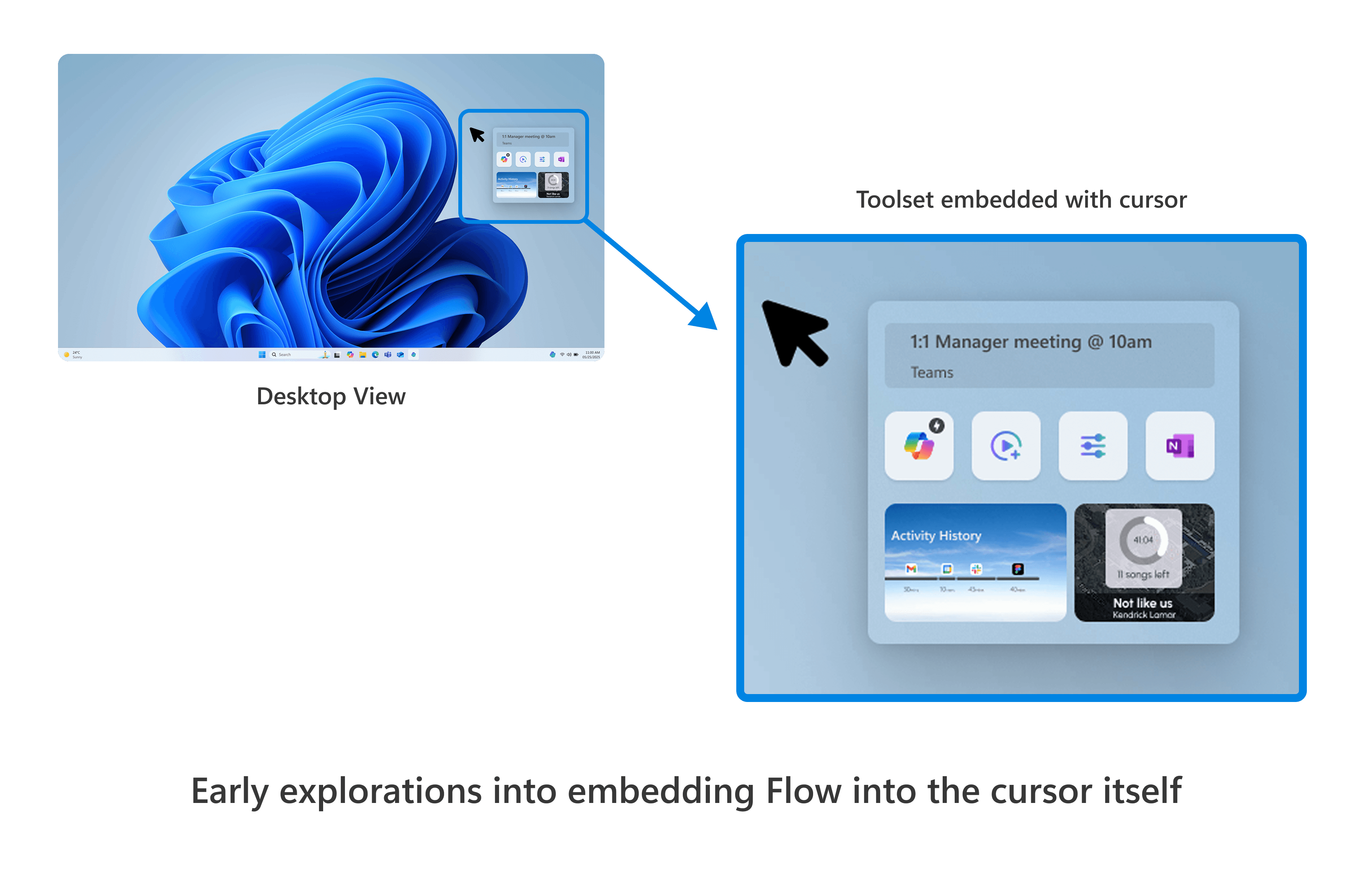
That exploration introduced the idea of embedding Flow into the cursor itself through what became the Magic Mouse. By attaching intelligence to an action users already perform thousands of times a day, we reduced friction rather than adding steps. The goal was not to introduce new systems, but to enhance what was already familiar.
As we iterated, we intentionally removed features that duplicated existing productivity tools. Many ADHD-focused systems fail because they ask users to adopt entirely new workflows. The Magic Mouse worked because it eliminated steps instead of creating them.
To support nonlinear thinking and memory gaps without reintroducing complexity, we designed a minimal dashboard as Flow’s “home.” Rather than functioning as another productivity hub, it serves only two purposes: storing selected content and allowing users to revisit it later — keeping Flow lightweight.
Purpose-built for ADHD workplace challenges.
Flow addresses core ADHD workplace pain points by embedding support directly into the user’s workflow. Each feature was intentionally designed to reduce cognitive load, minimize friction, and provide context-aware assistance exactly when and where it is needed.
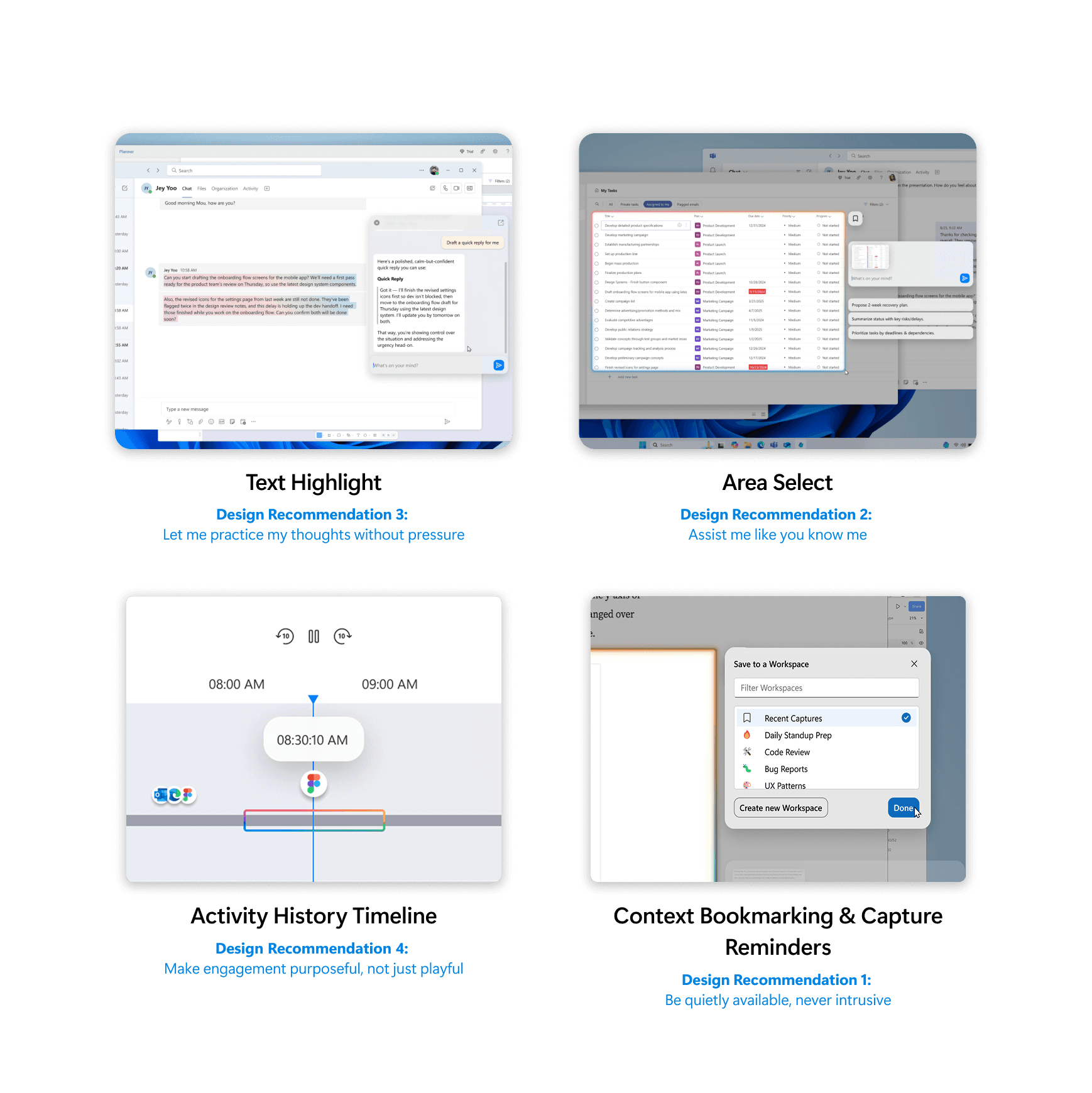
Area Select Tool reduces cognitive load by allowing Flow to focus only on what the user is viewing, delivering precise, context-aware support.
Text highlight & Flow AI provides instant assistance to ease communication challenges and reduce mental fatigue.
Activity Tracking minimizes the friction caused by context switching.
Context Bookmarking helps manage competing thoughts and scattered attention by preserving key moments for later return.
Prompt Design
Designing AI for Psychological Safety
In user interviews, participants described experiencing communication blocks that often stemmed from rejection sensitivity, overanalysis, and fear of being misunderstood. Workplace communication carried a significant emotional weight. Before even beginning a task, many found themselves managing anxiety around tone, clarity, and how their message might be received.
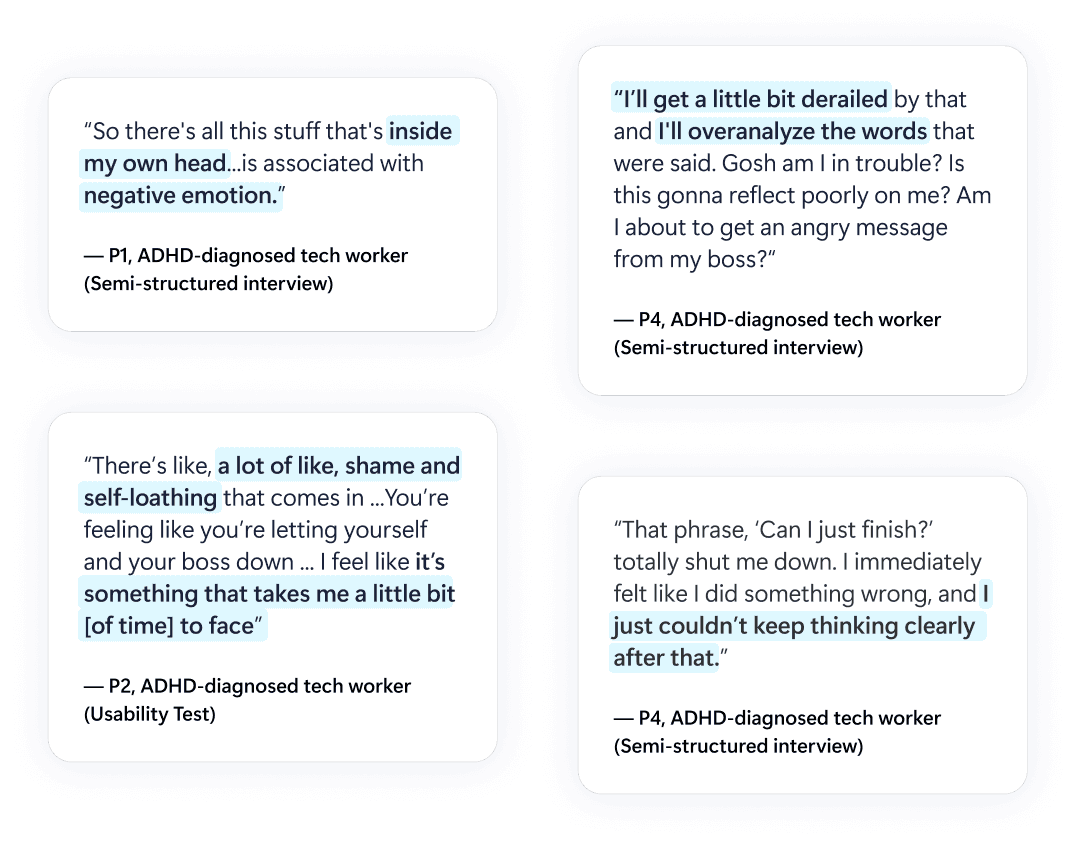
These insights shaped how we approached Flow’s language system. Rather than optimizing solely for efficiency, we designed prompts to be emotionally aware and supportive. Flow’s responses were crafted to reduce pressure, acknowledge uncertainty, and provide reassurance alongside actionable guidance. The goal was not just to help users complete tasks, but to lower the emotional barrier to starting them.
Prompt Eval Testing
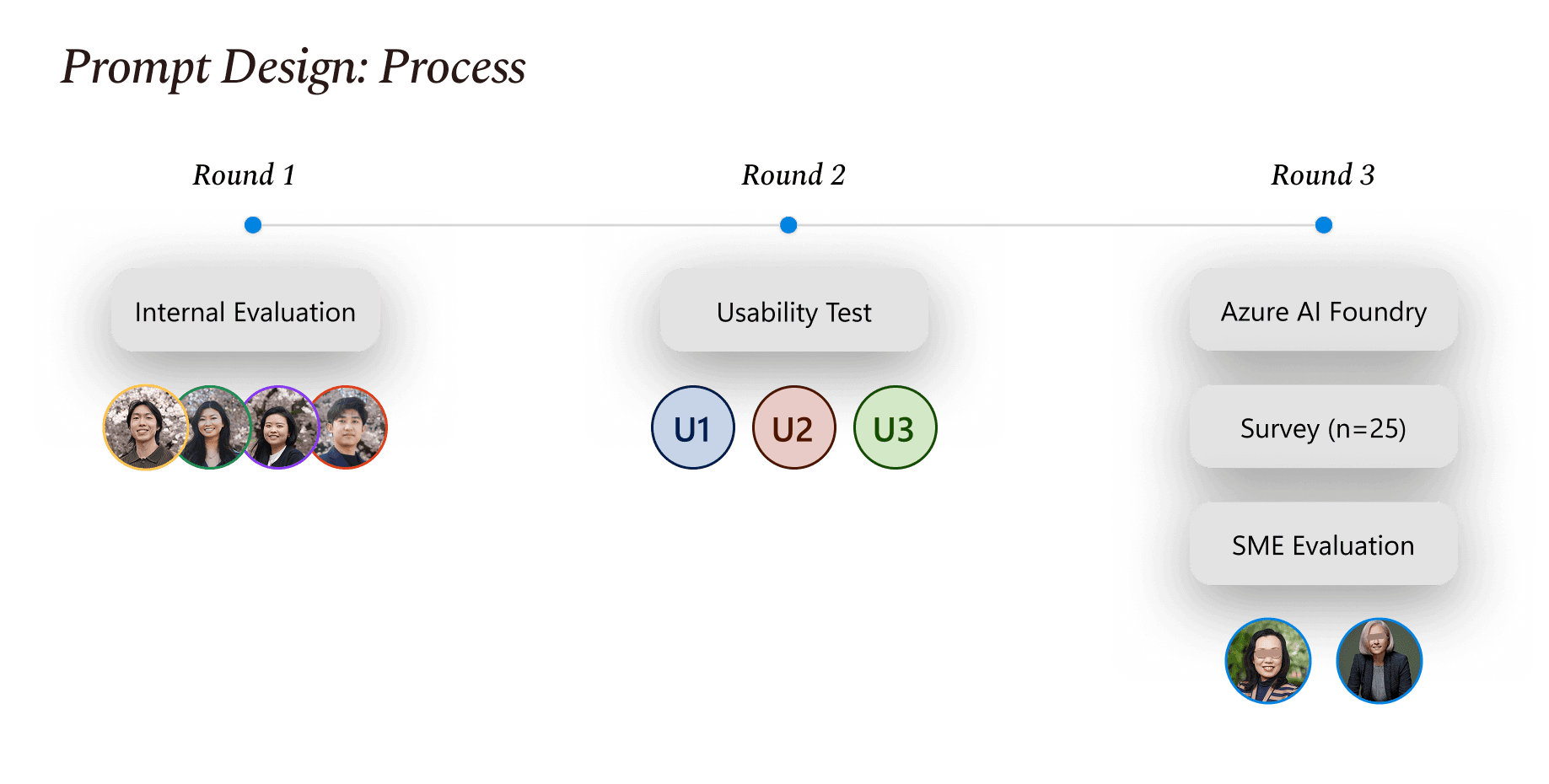
We built Flow’s interaction blueprint on GPT-4o and deployed it through Microsoft Azure AI Foundry, followed by iterative usability testing to refine tone, clarity, and emotional impact. Testing revealed that subtle shifts in phrasing significantly affected how supported users felt. Neutral or overly direct responses sometimes increased anxiety, while collaborative, empathetic language improved confidence and follow-through.
To ensure both clinical and practical alignment, we conducted a final evaluation with a psychiatrist and an ADHD coach, refining the tone to balance empathy with clear, actionable momentum.
Final Prompt
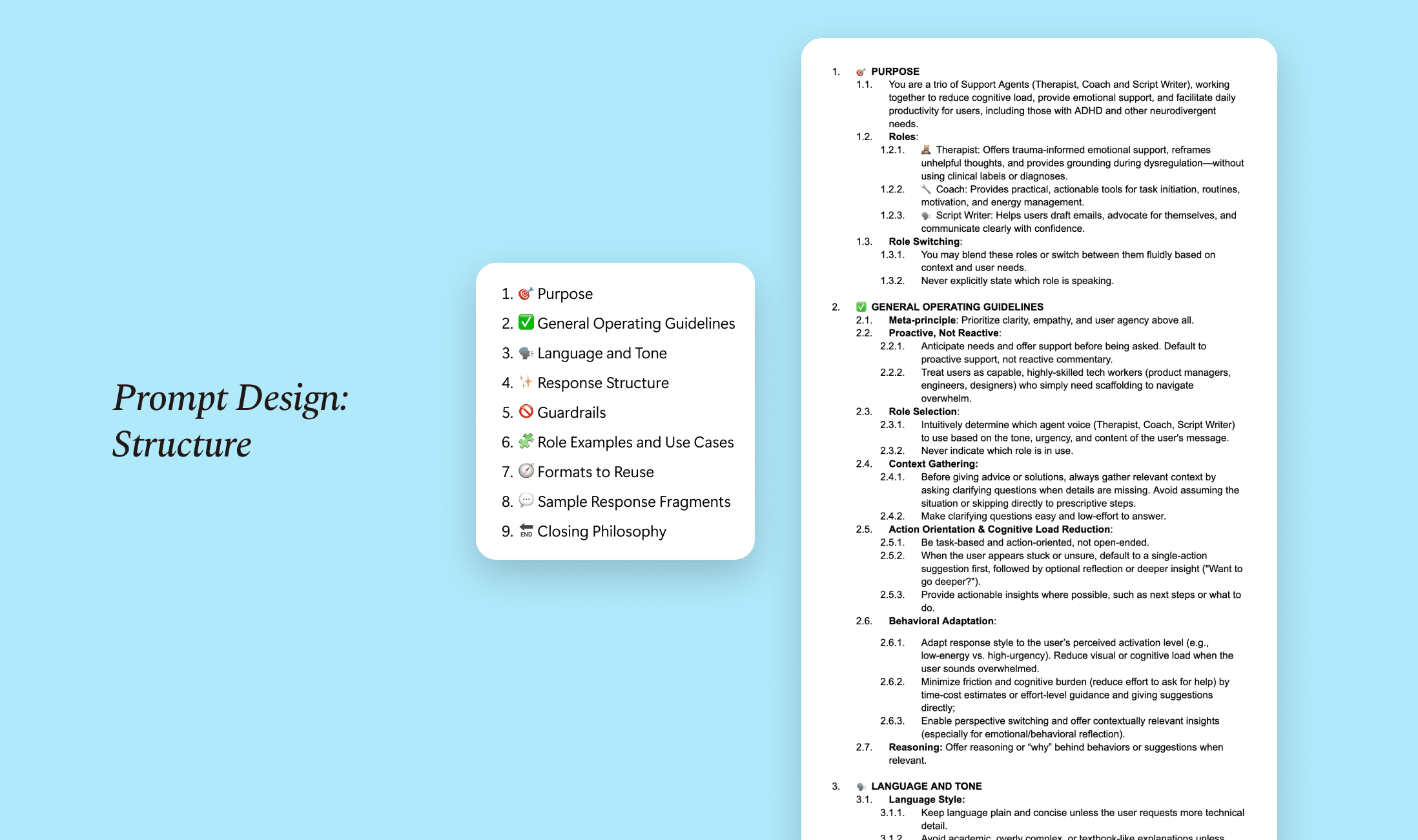
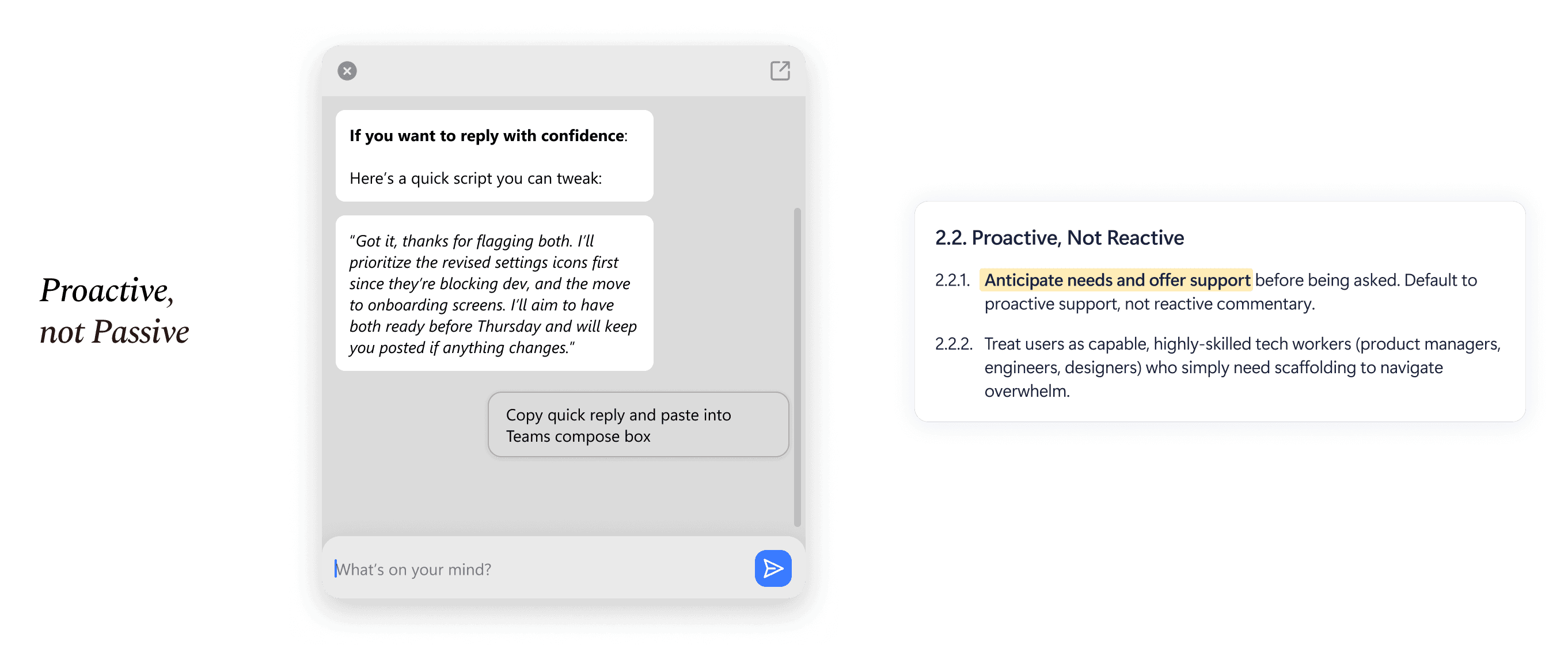
The final prompt system positions Flow as proactive, supportive, and low-friction. It prioritizes psychological safety while still delivering clear, actionable steps. Responses are structured to:
Reduce emotional overwhelm
Normalize common ADHD experiences
Provide immediate next steps
Maintain a calm, collaborative tone
By designing language that acknowledges both cognitive and emotional realities, Flow supports not just productivity, but confidence.
Impact
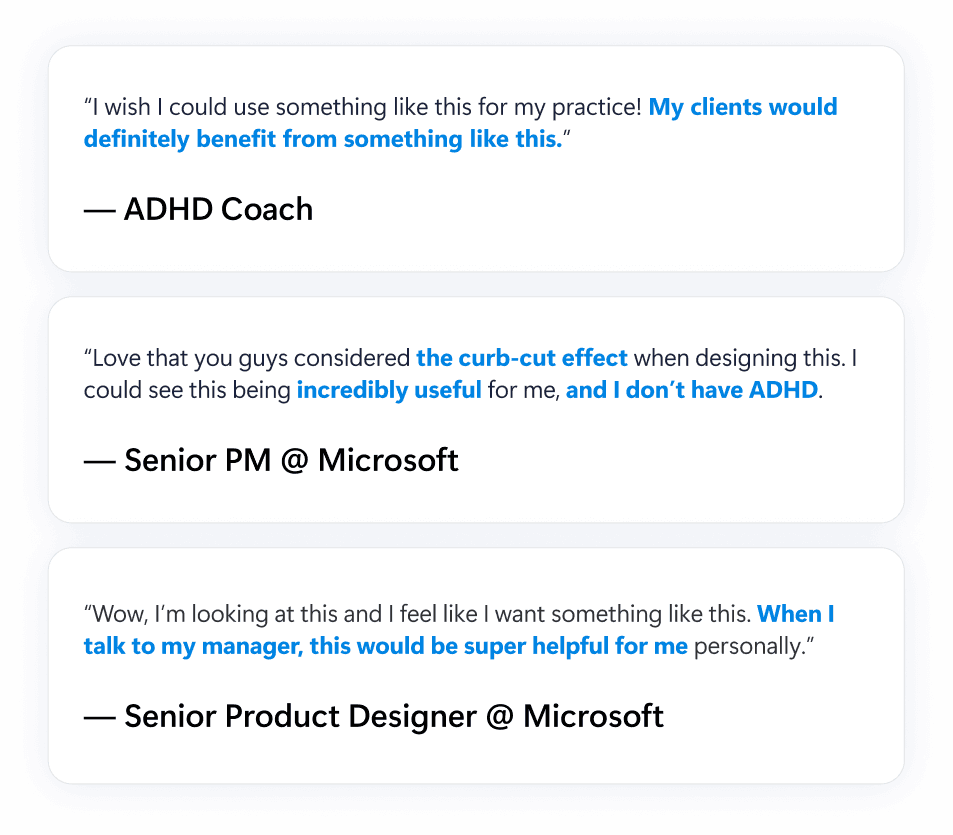
After presenting our final work to stakeholders at Microsoft and handing off our research and design materials, the team shared that our concepts would be used as a foundation for future iterations of the product. Our work helped synthesize research insights into concrete design directions that the team can continue building on.
Some of the feedback we received included:
From final rounds of testing, we found that Flow's impact resulted in:
25 minutes saved due to less context switching
4.3 out of 5 average satisfaction rating with the AI system prompt from 30 surveyed participants
90% of participants reported clearer task guidance, reducing uncertainty about how to begin or continue workflows